
SmartEnergy APP Operation Guide
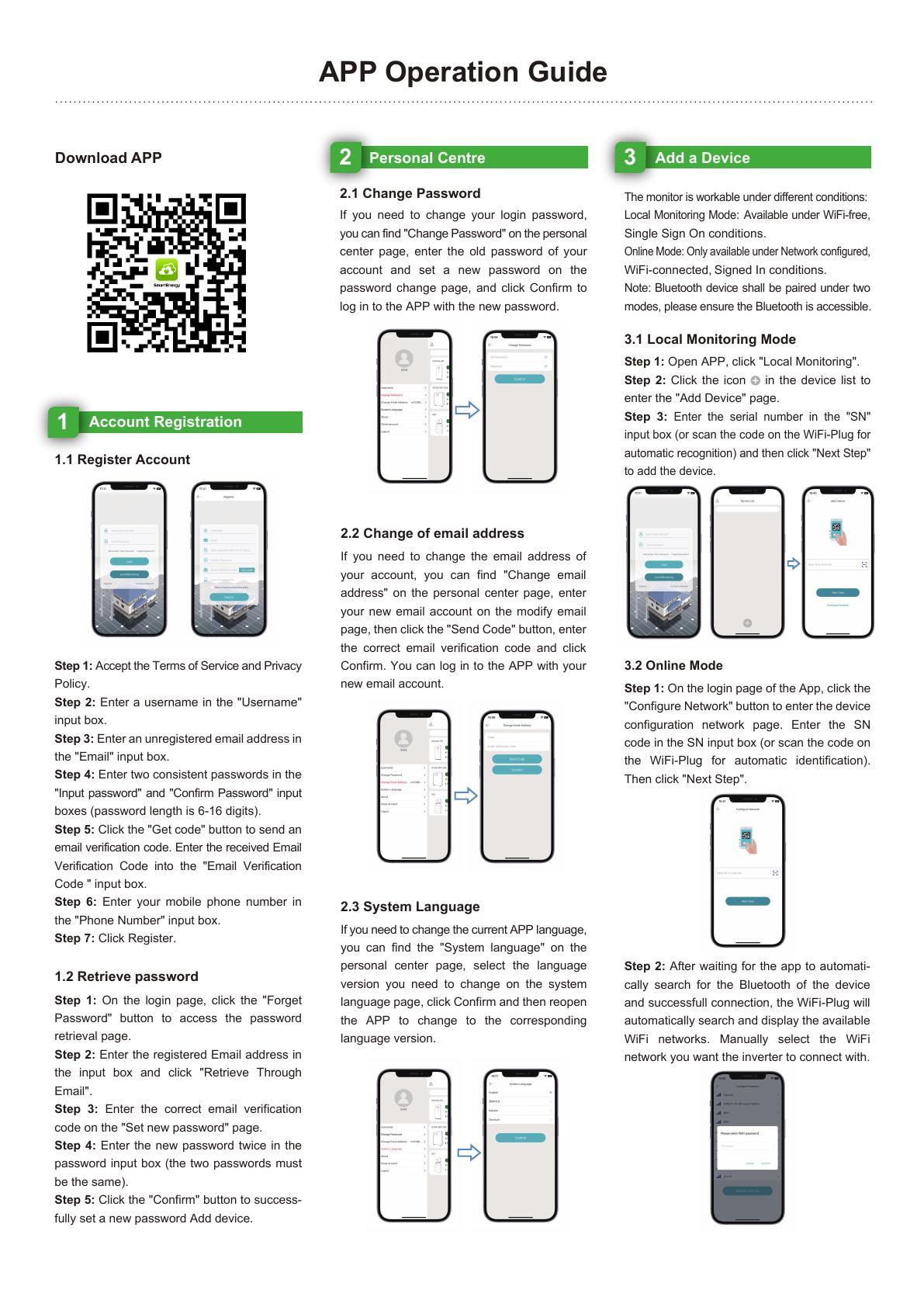
A two-page illustrated guide covering account registration, password recovery, language settings, and local or online device connection.
PDF · 2 pages · 8.5 MB
Download operation guide
Monitor compatible FarAmp solar and energy storage systems from your phone, wherever your projects are installed.
Remote Energy Management
SmartEnergy provides a clear view of PV generation, grid power, household or project loads, and battery state of charge. Historical reports help owners, installers, and service teams understand system performance by day, week, month, or year.
View PV production, grid exchange, load consumption, and battery charging or discharging.
Check state of charge, operating status, and system information remotely.
Review daily, weekly, monthly, and yearly production and consumption trends.
Configure compatible peak and off-peak schedules to improve self-consumption.
Prepare the equipment serial number and confirm that the inverter or energy storage controller is online.
Install SmartEnergy, create an account, and select the correct region.
Scan or enter the device/data-logger code supplied with the compatible system.
Check live energy flow, battery status, alarms, and historical performance.
Setup Resources
Use the illustrated guide for account registration and device setup, then follow the video for a complete connection walkthrough.
A two-page illustrated guide covering account registration, password recovery, language settings, and local or online device connection.
PDF · 2 pages · 8.5 MB
Download operation guideWatch the SmartEnergy setup and inverter connection process from 01:13.
Send your product model, serial number, and installation country to the Faran Technology service team.